Enterprise DDR5 memory & ultra-fast NVMe storage for high-performance hosting.
See plansHow to Install Plugins and Mods
Customizing your server on Minecraft Hosting with plugins and mods is simple on the QeinTech Console. Our control panel features integrated 1-click installers for thousands of popular Spigot/Paper plugins and CurseForge/Modrinth mods, as well as full manual upload support over SFTP.
Before installing new add-ons, make sure you know whether your server is running a Plugin loader (such as Paper, Purpur, or Spigot) or a Modded loader (such as Fabric, Forge, or NeoForge).
Method 1: Using the 1-Click Plugin Installer
If your server is running Paper, Purpur, or Spigot, you can search and install plugins directly from the web panel without downloading any .jar files manually.
Our integrated installer connects to official repositories, ensuring you always grab verified, safe plugin releases.
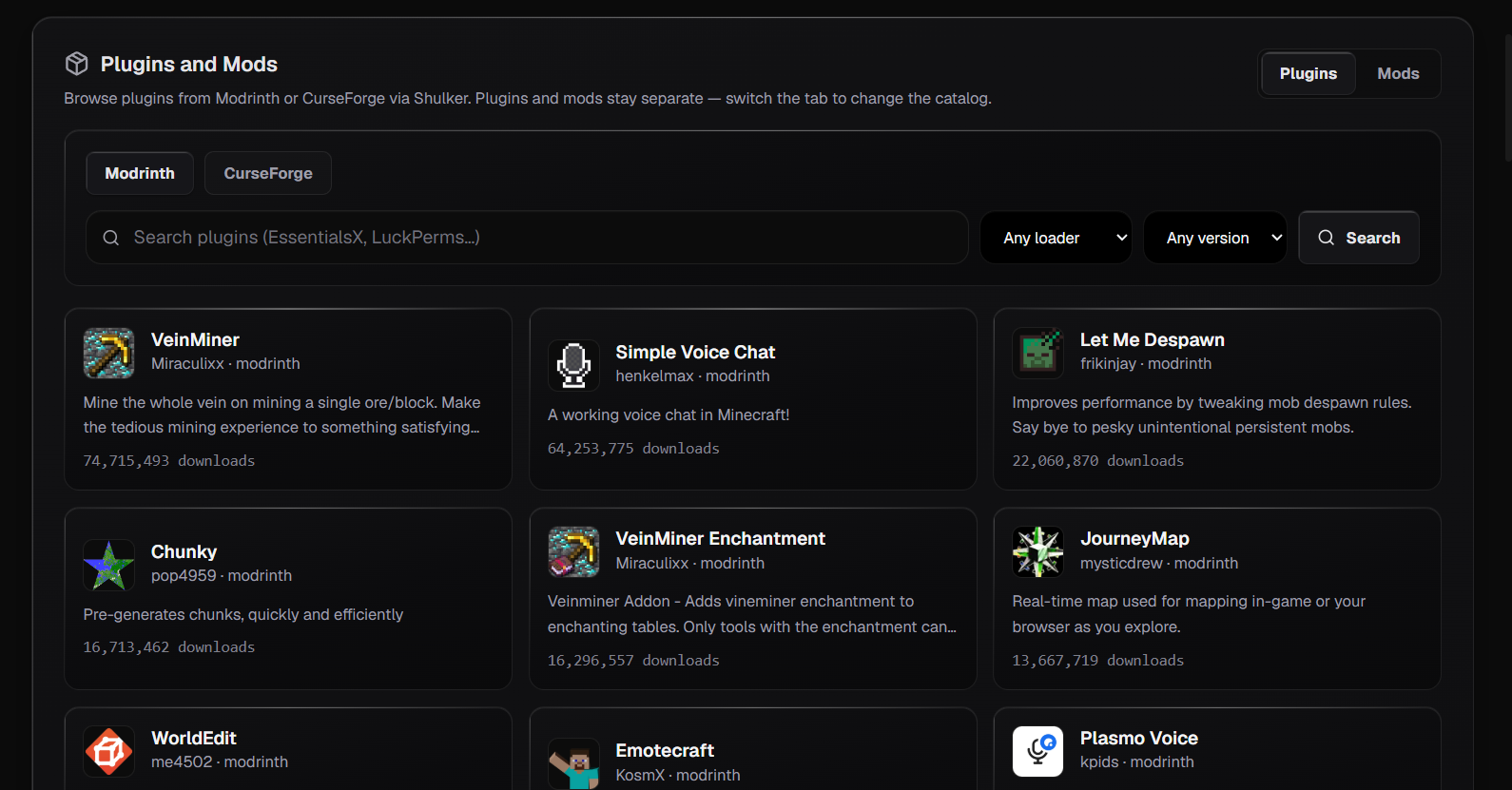
1. Open the Plugins Tab
Log in to the QeinTech Console, select your Minecraft instance, and click the 'Plugins' tab in the navigation bar.
2. Search for Your Plugin
Use the search bar to find popular plugins such as EssentialsX, LuckPerms, Vault, WorldEdit, or GeyserMC.
3. Click Install
Click the blue 'Install' button next to the plugin. The panel will automatically download and place the compatible .jar file in your /plugins directory.
4. Restart the Server
Go to the Console tab and click Restart to load the plugin. Type 'plugins' in the terminal to verify it appears in green.
Method 2: Using the 1-Click Mod Installer
For modded servers powered by Fabric, Forge, or NeoForge, you can use the built-in Mod Installer to browse and install mods with complete version matching.
The installer allows you to filter mods by Minecraft game version, loader type, and categories.
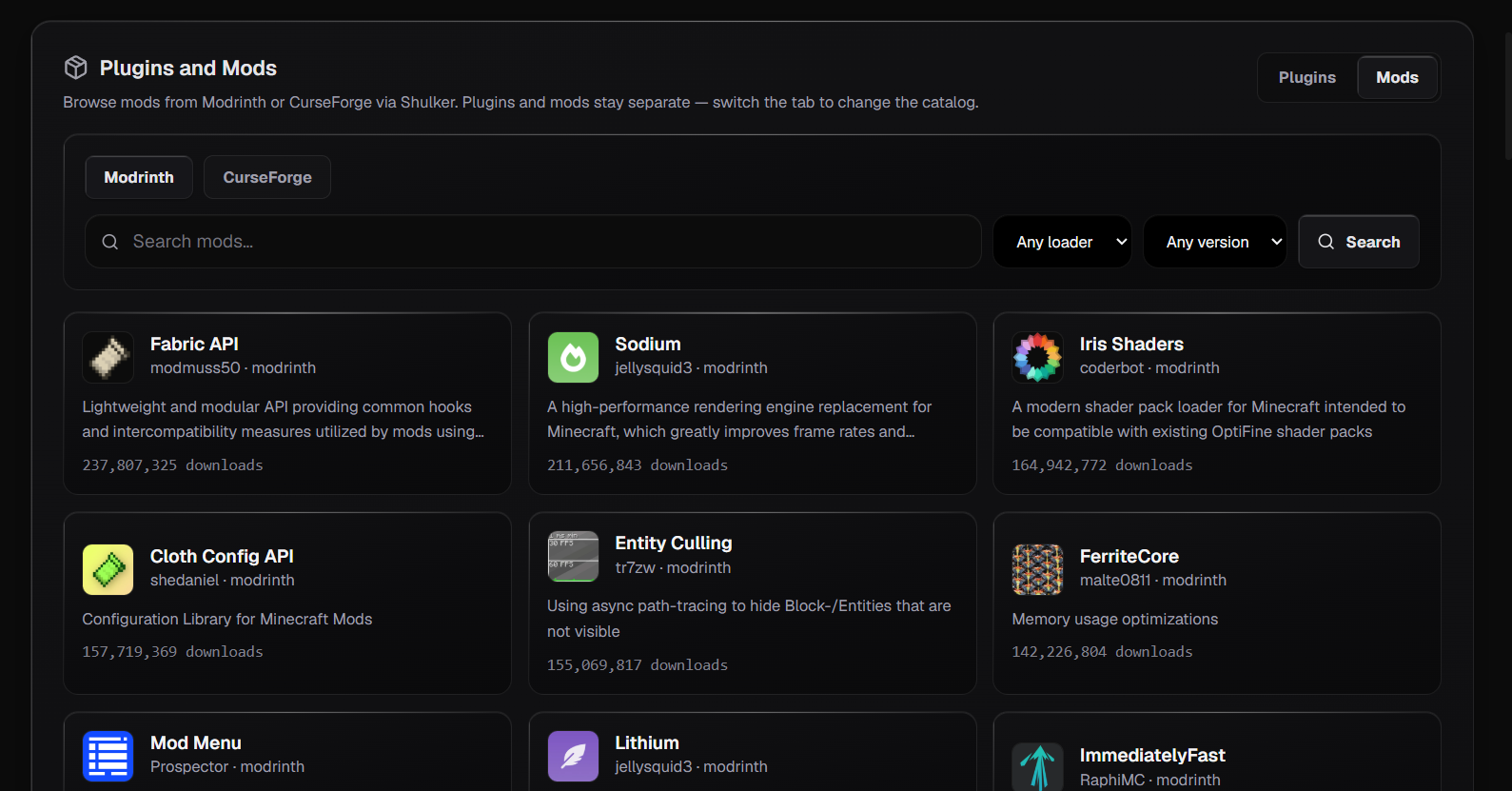
1. Open the Mods Tab
In your server control panel inside the QeinTech Console, click on the 'Mods' tab.
2. Filter by Version & Loader
Select your server's exact Minecraft version and mod loader (Fabric or Forge) from the dropdown filters.
3. Install the Mod and Dependencies
Click 'Install' on your desired mod. Always check if the mod requires a core dependency (such as Fabric API for Fabric servers).
4. Restart and Verify
Restart your server. Check the live Console tab to ensure that the mod initialized without missing dependency errors.
Method 3: Manual Installation via File Manager or SFTP
If you have a custom plugin, private mod, or pre-configured configuration files, you can upload them directly using the built-in File Manager or over SFTP.
- Always stop the server first before uploading or modifying .jar files to avoid file corruption.
- For Plugin servers: Upload .jar files into the /plugins directory.
- For Modded servers: Upload .jar files into the /mods directory.
- Start the server and check the live console output to verify startup logs.
Troubleshooting & Best Practices
- Never mix plugins and mods: Paper/Spigot servers cannot run Forge/Fabric mods, and standard Forge servers do not support Bukkit plugins without a hybrid bridge.
- Check Minecraft version compatibility: Ensure the plugin or mod version matches your server's Minecraft release.
- Install required dependencies: Many mods require companion libraries (like Fabric API, Cloth Config, or Architectury API).
- Create a backup first: Before adding large modpacks or gameplay plugins, create a snapshot in the Backups tab.
- Get live help from our team and fellow server creators in the Discord Community.
Still have questions?
Our engineering team and Discord community are available 24/7.