Enterprise DDR5 memory & ultra-fast NVMe storage for high-performance hosting.
See plansConnecting to Your KVM VPS & Cloud Dashboard Navigation
Every instance deployed on VPS Hosting includes dedicated IPv4 networking, full root access, and a unified management console in the QeinTech Console.
From the cloud dashboard, you can track hardware performance, reboot instances, access out-of-band VNC terminals, and configure network firewalls.
Cloud VPS Dashboard Overview
The VPS management panel provides real-time telemetry gauges and critical server actions at a glance:
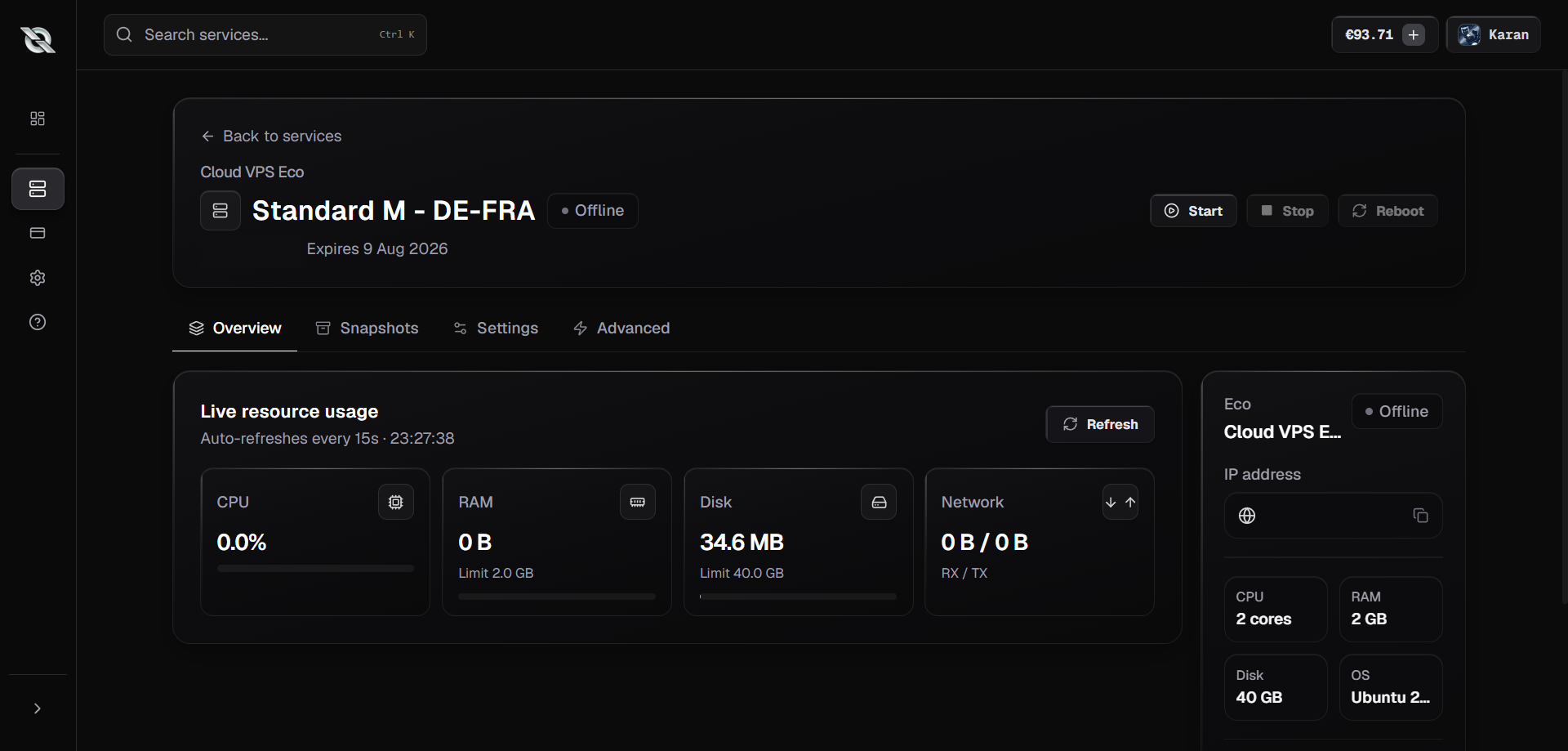
- Live Resource Gauges: Monitor CPU core load, RAM consumption, and NVMe disk I/O in real time.
- Power Controls: Execute graceful soft reboots, hard power cycles, or shut down instances safely.
- Web VNC Console: Access emergency out-of-band graphical/terminal consoles if SSH is ever misconfigured.
- Rebuild OS: Deploy a fresh Linux template (Ubuntu, Debian, AlmaLinux, Alpine) in under 60 seconds.
Step-by-Step: Connecting via SSH
Connecting to your VPS via SSH gives you full command-line root access to install web servers, Docker containers, databases, or custom software:
1. Retrieve Your Credentials
Locate your primary IPv4 address and root password from the instance overview in the QeinTech Console.
2. Open Terminal or PowerShell
On Windows, open PowerShell or Windows Terminal. On macOS and Linux, open your preferred Terminal app.
3. Run the SSH Command
Type 'ssh root@YOUR_SERVER_IP' (replacing YOUR_SERVER_IP with your VPS address) and press Enter.
4. Accept Host Fingerprint & Authenticate
Type 'yes' when prompted to trust the host key, then paste your root password to log in.
Recommended Post-Install Security
- Update package repositories: Run 'apt update && apt upgrade -y' (Debian/Ubuntu) or 'dnf update -y' (RHEL/AlmaLinux).
- Configure UFW Firewall: Restrict open ports and protect SSH against brute-force attacks.
- Deploy SSH Keys: Disable password authentication in /etc/ssh/sshd_config for maximum cryptographic security.
- Questions or networking requests? Contact our cloud engineers on Discord or via Contact Support.
Still have questions?
Our engineering team and Discord community are available 24/7.