Enterprise DDR5 memory & ultra-fast NVMe storage for high-performance hosting.
See plansControl Panel
Using Player Manager & Live Community Insights
4 min read
•Updated August 2026
Monitor active player sessions, manage ban lists, view join throughput rates, and analyze player retention graphs in real time.
The Player Manager and Insights tabs give server owners total community moderation and traffic visibility directly in the QeinTech Console without opening SSH or in-game operator menus.
You can moderate players with single-click actions and analyze traffic curves across 2-hour, 6-hour, 24-hour, and 7-day ranges.
Live Player Moderation
Manage all connected players on your Minecraft Hosting instance visually:
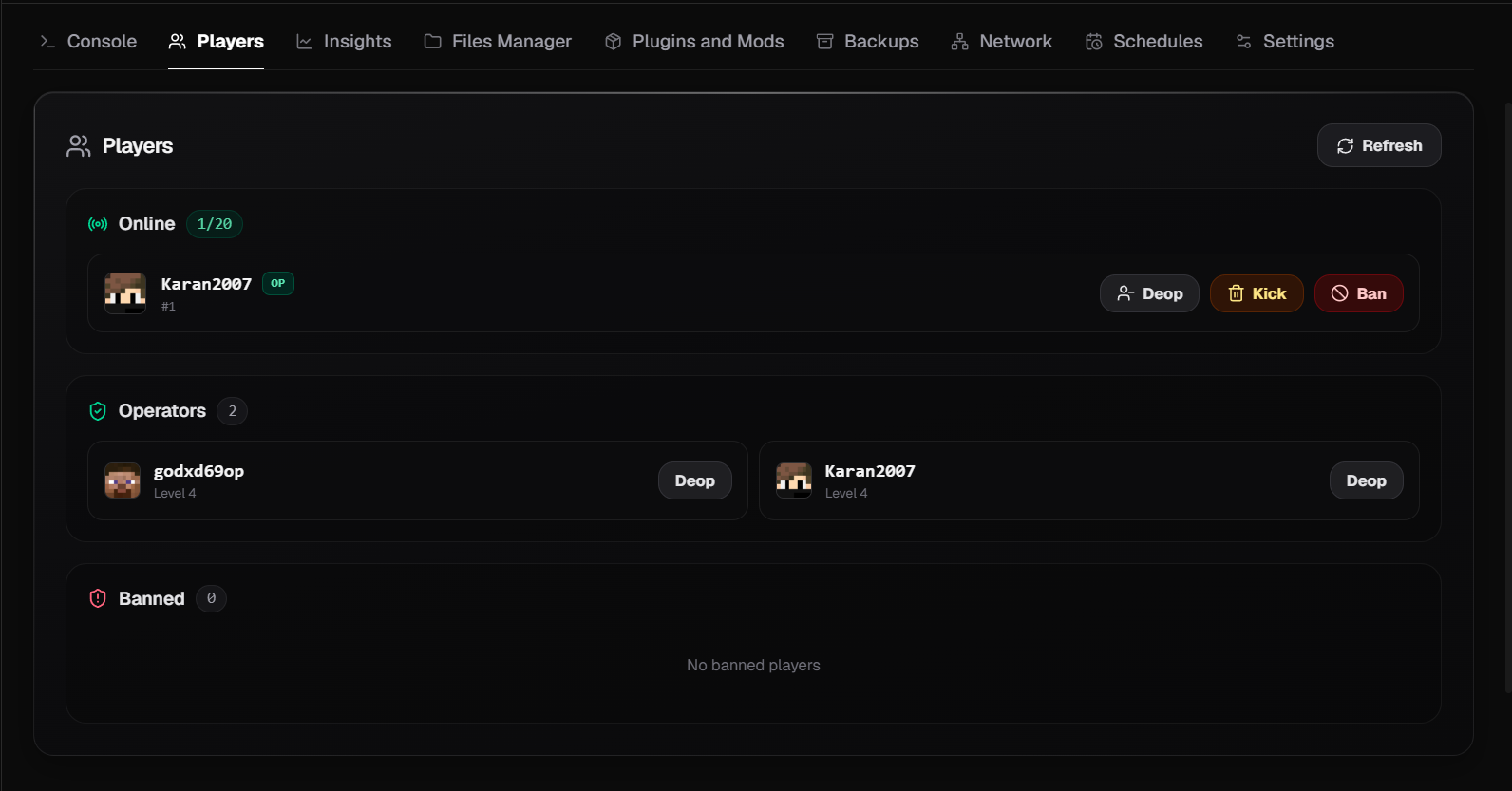
- Online Player List: Displays authentic Minecraft player heads, usernames, and OP status.
- One-Click Actions: Kick, Ban, OP, or De-OP players instantly from the browser interface.
- Ban List Management: Search, review, and revoke player or IP bans with complete audit logs.
Community Traffic Insights & Retention
Understanding player traffic trends helps optimize event schedules, server promotions, and maintenance windows:
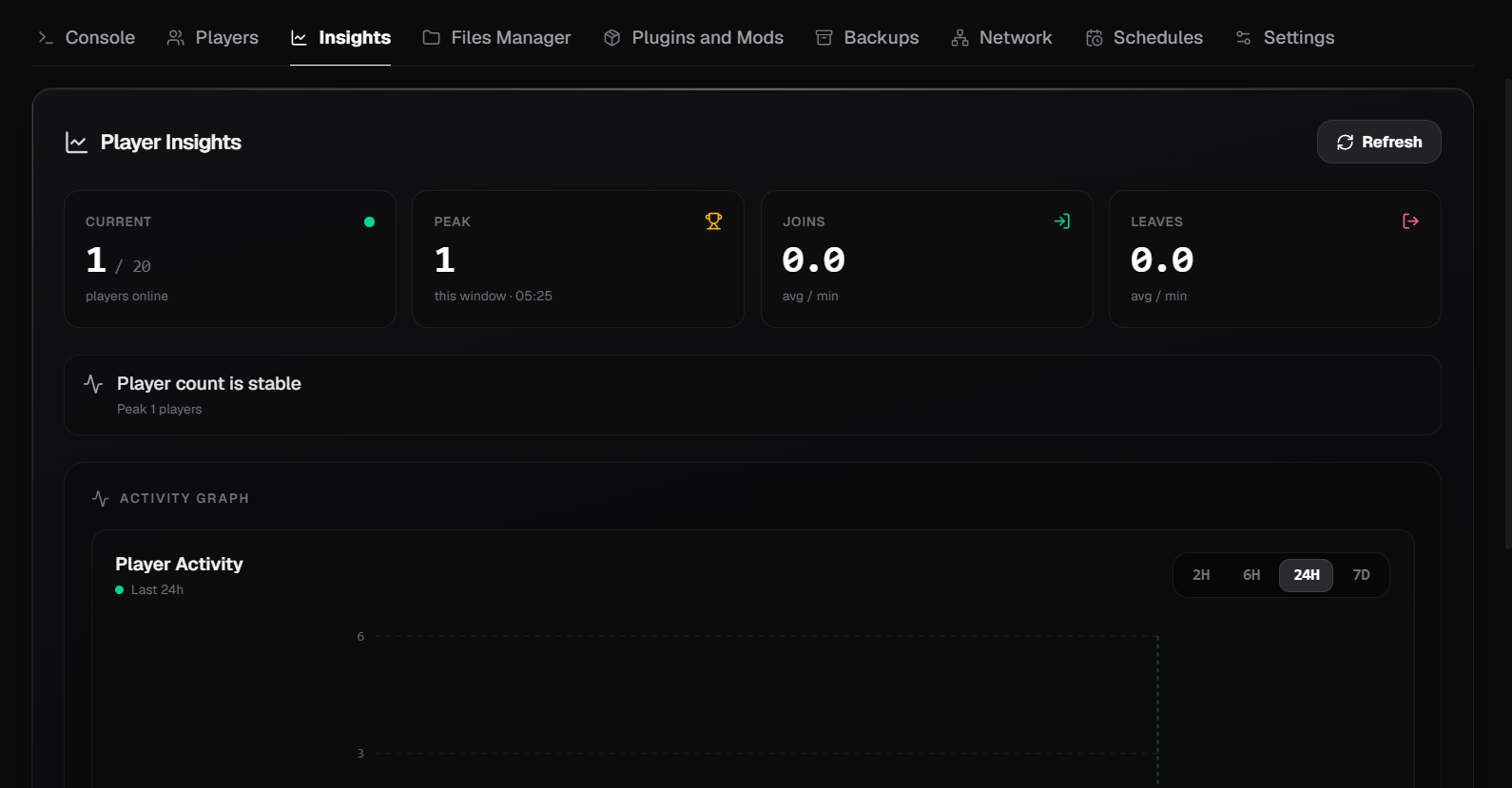
- Join & Leave Rates: Real-time throughput graphs tracking player churn and concurrent connections.
- Retention Graphs: Analyze 7-day player retention curves to see when your server experiences peak traffic.
- Join the conversation with other server administrators in our Discord Community.
Still have questions?
Our engineering team and Discord community are available 24/7.