Enterprise DDR5 memory & ultra-fast NVMe storage for high-performance hosting.
See plansIntroducing Player Manager & Insights
View and manage connected players directly from your panel with real-time stats, moderation controls, and retention graphs.
We added two new tabs to the game server panel: Players and Insights. Together they give operators a clear view of who is online and how the community is moving, without opening RCON or SSH.
Both tabs live beside Console, Files, Plugins and Mods, and the rest of the server tools you already use. Open any Minecraft server in the console and the new views are ready.
Player Manager
The Players tab shows who is connected right now, how many slots are in use, and quick actions for each person on the server.
Below the online list you get separate sections for operators and banned players, so permissions and moderation stay in one place.
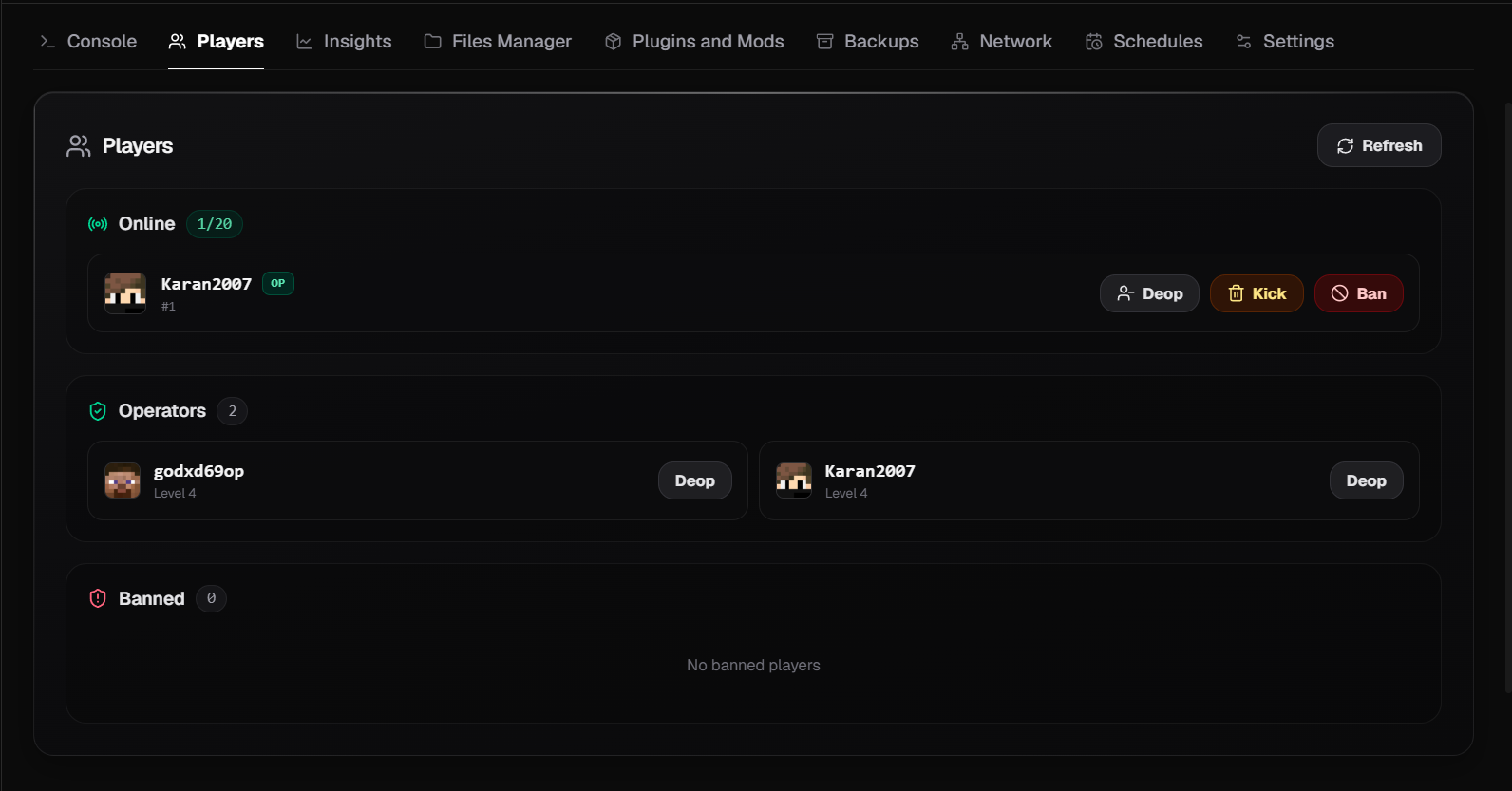
Manage online players, operators, and bans from one screen.
- Online list with player head, name, and OP badge
- Slot count such as 1/20 at a glance
- Deop, Kick, and Ban actions per player
- Operators and banned players in dedicated sections
- Refresh to pull the latest player state
Player Insights
Insights turns live server data into numbers you can read at a glance: current players against your max, peak count for the window, and average joins and leaves per minute.
A short status line tells you whether player count is stable, and the activity graph below plots trends over 2 hours, 6 hours, 24 hours, or 7 days.
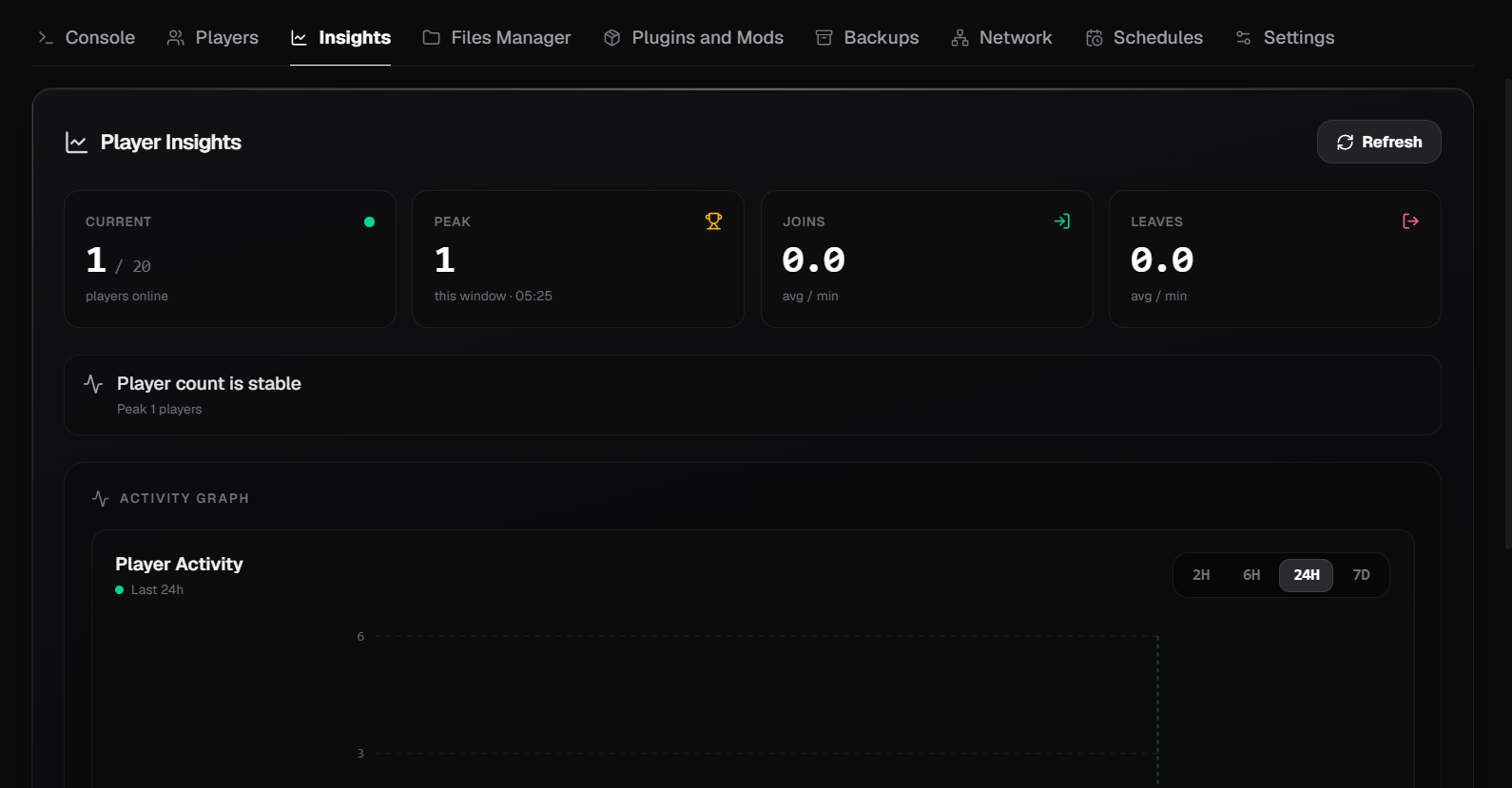
Track player count, join rate, and activity trends over time.
- Current and peak player counts with timestamps
- Join and leave rates per minute
- Stability summary when count is flat or moving
- Activity graph with 2H, 6H, 24H, and 7D ranges
- Refresh to update stats on demand
Get started
Open the console, pick a Minecraft server, and click Players or Insights in the top tab bar. No extra setup is required on supported game servers.
If you are new to QeinTech hosting, deploy a server from the console or compare plans on the Minecraft hosting page. Need help with permissions or reading the graph, reach out on Discord or through the contact form.
Ready to deploy high-performance servers?
Launch high-performance Minecraft servers or deploy high-availability KVM instances.